
Chiseled Blocks
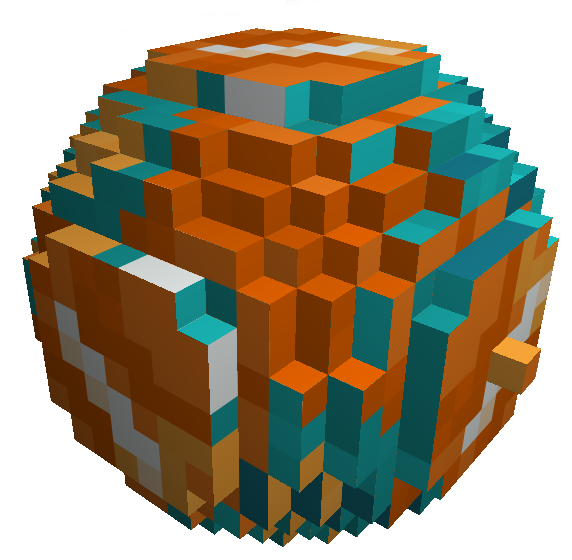
Chiseled Blocks are blocks that have been sculpted using a chisel. You can create detailed designs by removing or adding bits.
How to Create
- Use a chisel on any standard block to start chiseling.
- Place a bit anywhere in your world.
Primary blockstate
For several interactions of a world or player with a chiseled block the primary state is used as a stand-in (because it is not viable to keep track of this information, or it is simply impossible) in that case the primary blockstate is not used to perform the calculation as if it alone occupied the entire blockspace as a full block.
The primary state is the state which exists the most within a chiseled block, but it is never air.
Properties
Friction
The chiseled block takes its friction value from the top bits of any column of bits inside it, and averages them out. This ensures that you can chisel out ice, keeping its slipperiness while having other materials underneath and sculpt it out in any fashion you like.
Light emission
The chiseled block emits a light level depending on several properties. First and foremost the chiseled block has two light emission modes:
- Including the air bits
- Excluding the air bits
Plainly speaking this means that when the air bits are included a single light emitting bit (like glowstone) will only emit a tiny amount of light (often not perceivable), however when air bits are excluded the emitted light value is averaged over all none air bits. Meaning that a single bit of for example glowstone will emit the full light of a normal block.
Lastly, the server can configure a scaling factor which is applied to the emitted light, this can be set high to allow even a single bit in "include air mode" to emit the full amount of light possible.
Light blocking
The chiseled block can create a shadow depending on the amount of bits inside it that do this themselves. So if you only have bits which don't block light (and as such don't cast a shadow, for example leaves), then the chiseled block won't block the light either, if you have a mixture then the value is averaged. Note that air is always taken into account here, and never blocks light.
Skylight propagation
The chiseled block can block skylight if in all of its columns of bits, there exists at least one bit which blocks skylight. These bits do not need to be on the same vertical level within the block.
Harvestability
The harvestability check of a chiseled block is delegated to its primary state. So if it is harvestable then so is the chiseled block.
Weak redstone power propagation
A chiseled block propagates weak redstone power if and only if all none air bits inside it propagate weak redstone power.
Block support
A chiseled block reports its collision for supporting other blocks properly (so levers, buttons and pressure plates can properly attach) based on the bits included. This means that it will report a full side, if that side of the block is fully occupied with bits, with which the player normally collides.
Shadow brightness
A chiseled block will cast a shadow of strength 0.2, if and only if it is not a full block. If it is a full block (aka all bits are not air) then the strength of the shadow cast increases to 1.
Relative hardness
A chiseled block has a hardness level of the average of all none air bits inside it. Meaning a chiseled block with obsidian is harder to break then a chiseled block with leaves.
Beacon coloring
A chiseled block functions as a beacon colorizer. It can be used to color a beacon based on the average of the color that all bits would apply to the beacon. If one bit exists in the block which does not allow a beacon to traverse, then a chiseled block will also block a beacon.
Grass sustainability
A chiseled block can sustain grass below when at least one column with bits has a lowest bit which sustains grass below it.
Explosion resistance
A chiseled block has as explosion resistance the average of all none air bits inside it.
Sounds
A chiseled block mimics the sounds of its primary blockstate.
Water logging
A chiseled block supports water logging in a very special mechanism. As it is quite difficult to integrate water logging with fluid bits, we decided to simulate a waterlogging. When a fluid flows into a chiseled block (any fluid), then it will up the air bits with that fluid if, any only if, that fluid can be turned into bits.
NOTE
This behavior can be disabled when turning the block hydrophobic with a honeycomb and re-enabled by shearing the block. By default, a chiseled block is waterloggable this way.
Rotations and mirroring
A chiseled block can be rotated and mirrored like a vanilla stair block.
[!WARN] However, due to the complexity of the internal data not all structure systems are compatible with chiseled blocks in this way. We patched the vanilla structure system, so world generation, and structure mechanics will work with chiseled blocks.
Cloning
The normal behaviour for a Middle-Click of a chiseled block is to pick the bit which you are targetting. If you instead hold Shift (sneak) while performing the click then the entire block is picked.
TIP
In creative this mechanic allows you to quickly clone blocks without breaking them, or finding the right bits.
Interactions
Right-clicking a dry sponge
Will remove all fluids from the chiseled block. Turning the dry sponge wet.
Right-clicking a glowstone dust
Will set the chiseled block to ignore air bits for light emission calculation.
Right-clicking a black dye
Will set the chiseled block to take air bits into account when calculating light emissions.
Right-click with a honeycomb
Will make the chiseled block hydrophobic, prevent water from flowing into the block and make it not waterloggable.
Right-click with a pair of shears
Will make the chiseled block waterloggable.