
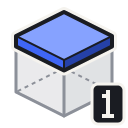
Plane 1 (Thin)
Edits the entire face of a block at the targeted depth, producing a flat 16 × 16 bit slab that is 1 bit deep.
Details
| Property | Value |
|---|---|
| Mode id | plane_1 |
| Group | Plane |
| Depth | 1 bit |
Usage
- Left-click (chisel): Removes all bits on the full face at depth 1 from the hit surface.
- Right-click (place): Fills all air bits on the face at depth 1 from the hit surface with the held material.
Tips
TIP
Use plane modes for adding or removing skins/layers from the surface of a chiseled block in one step.