
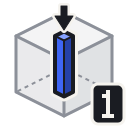
Line 1 x 1
Extends a single-bit-wide line from the targeted bit all the way along the hit direction until it hits the edge of the block or an obstructing bit.
Details
| Property | Value |
|---|---|
| Mode id | line_1 |
| Group | Line |
| Thickness | 1 × 1 bits |
Usage
- Left-click (chisel): Removes all bits in the column extending in the opposite of the hit direction.
- Right-click (place): Fills all air bits in the column extending in the hit direction.
Tips
TIP
Useful for cutting thin slots, channels, or single-bit seams running through your design.