
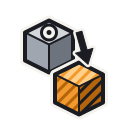
Replace
Replaces every bit of the same material as the targeted bit within the entire block with the material currently held in your hand. Unlike other modes, both left- and right-click perform the same operation.
Details
| Property | Value |
|---|---|
| Mode id | replace |
| Group | None (standalone mode) |
| Selection | All matching bits in the block |
Usage
- Left-click or Right-click: Finds all bits in the targeted block that match the material of the bit you clicked on, then replaces them all with the held material.
NOTE
You must be holding a placeable bit in your hand for this mode to function. It requires an active edit material.
WARNING
This is not a connected flood-fill — it replaces all bits of the target material in the block, even those not touching the targeted bit.
Tips
TIP
Perfect for re-skinning a block: swap out one material for another in a single click without needing to remove and re-place bits individually.